
 English
 Español
 Deutsch
 Français
 Italiano
 Português
 Русский
 Türkçe
 العربية
 简体中文
简体中文 日本語
日本語 한국어
한국어 Tiếng Việt
 Bahasa
87+ features
Explore Mapsly Features
Search features by category and keywords. Click on a feature to learn more.
87 features
-
 Connect Spreadsheets (2-Way) Connect your spreadsheets to Mapsly: sync is two-way and automatic, just like with CRMs.
 -
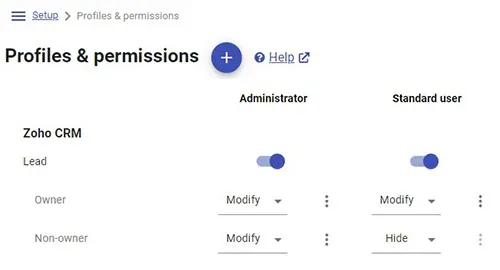 Share Records by Condition Use record sharing rules to give users access to records based on custom criteria.
 -
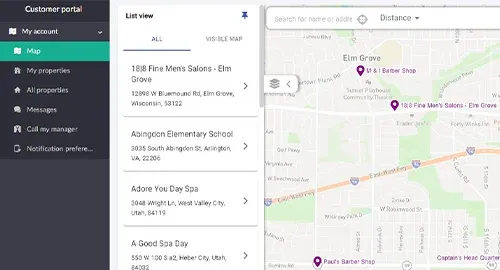 Personalized Maps Create and embed maps containing only a particular customer’s records. Perfect for client portals.
 -
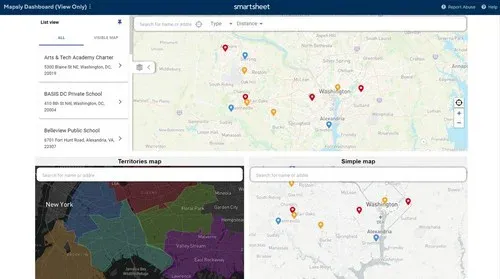 Map for Smartsheet Dashboard Add live interactive maps to your Smartsheet dashboard using the Web Content widget.
 -
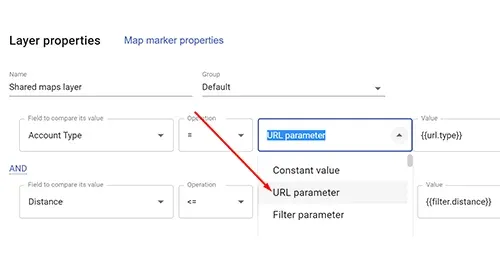 Pre-Filter Data with URL Parameters Use URL parameters to control what data users see on the map and may modify.
 -
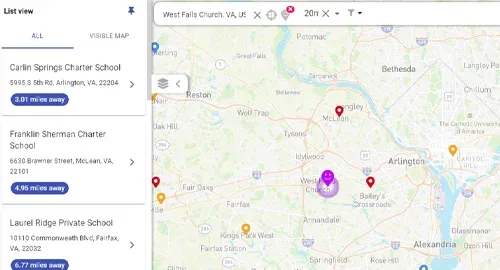 Store Locator for Websites Add a store locator to your website, with complex filters and filter by distance from the user’s location.
 -
 Automation: Schedules Run Mapsly actions on configurable schedules.
 - Automation: Manage Records Programmatically create, update, and remove records in your automated processes.
-
 Automation: Send Emails Send emails and SMS to customers, vendors, or your employees in automation.
 -
 Automation: Send SMS Send SMS and emails to customers, vendors, or your employees in automation.
 -
 Automation: Call External APIs Call external API endpoints in automation and use their responses in automation and forms.
 -
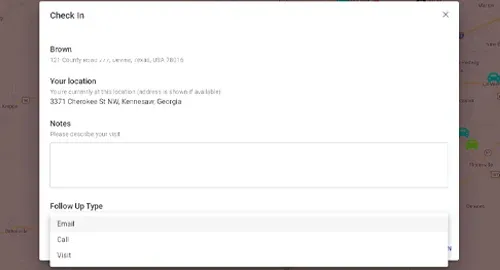 Automation: Dynamic Forms Show or hide form fields in response to user actions on the form. Implement dependent fields.
 -
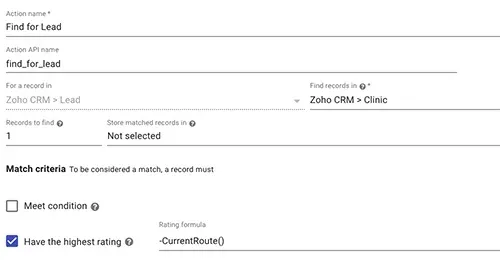 Automation: Use Distance and Time Calculate driving distance and time between any locations in automation. Save them to CRM.
 -
 Automation: Use User’s Location Use the user’s GPS coordinates and address when they press a button in automation.
 - Automation: Extend with Code Use the template language and a wide range of built-in geo-functions for more complex automation.
-
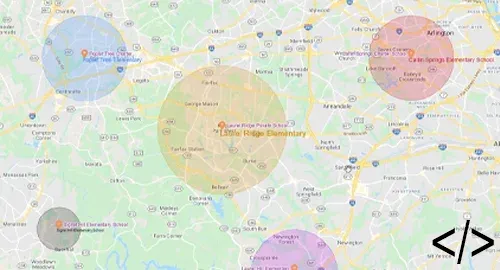 Automation: Manage Territories Create, update, and remove territories, and update their data fields and geography using automation.
 - Mapsly API Create, update, and remove records in Mapsly using the Mapsly API.
-
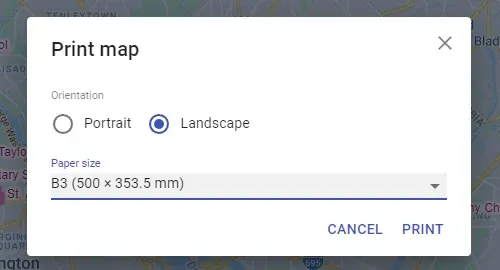 Print Beautiful Maps Mapsly’s use of vector map tiles and objects ensures high image quality when printing large maps.
 -
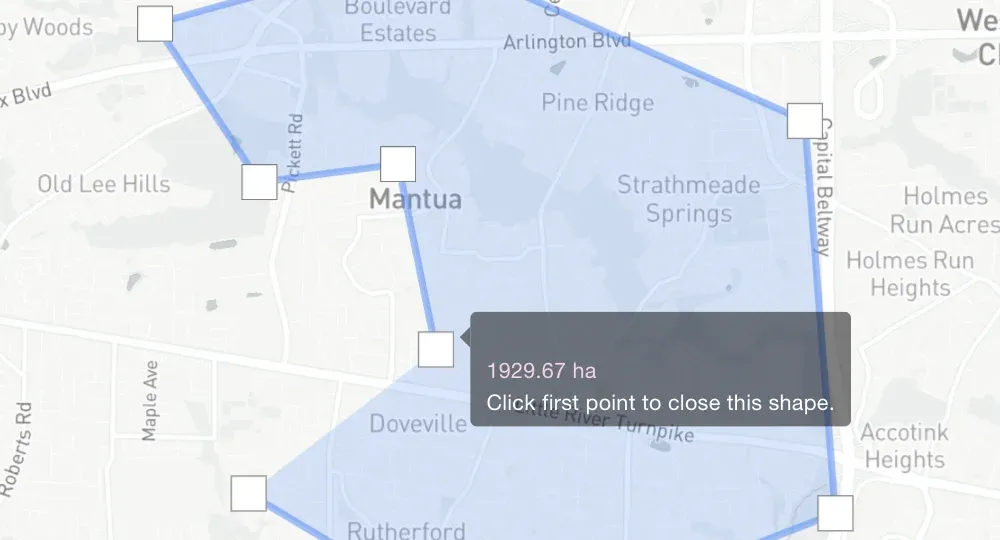 Measure Area and Perimeter of Shapes Calculate the area and perimeter of your hand-drawn territories.
 -
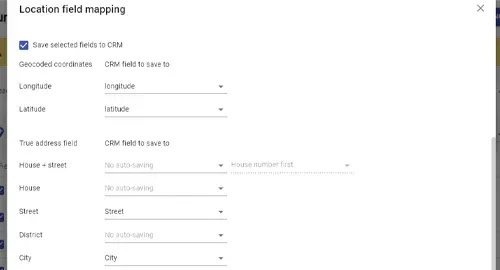 Fix & Geocode Your Addresses Auto-correct errors in your addresses, and fill in missing zip codes, counties, and GPS coordinates.
 -
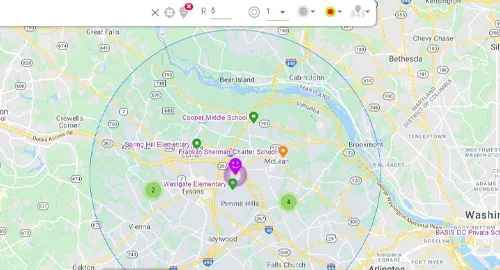 Circles of Equal Distance View one or multiple circles of equal distance around a base location.
 -
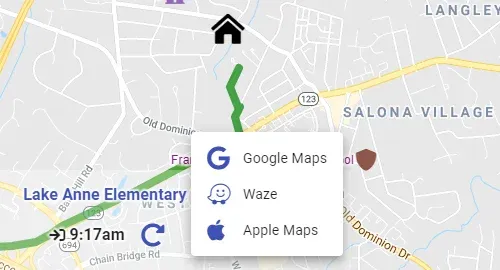 Navigate Using Your Favorite App Navigate to route stops with your favorite app (Google Maps, Apple Maps, or Waze) in 1 click.
 -
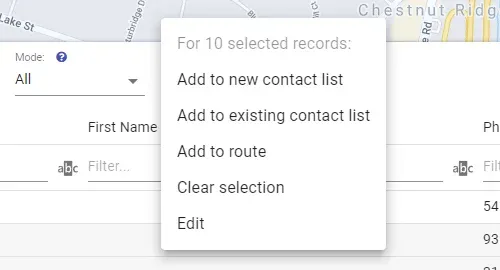 Add Contacts to HubSpot List Add contacts to new or existing HubSpot contact lists in a few clicks. View your lists in Mapsly.
 -
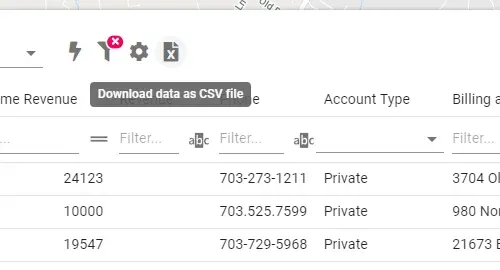 Export Filtered Records to File Export records currently in the table view to a CSV file. Especially useful with map and table filters.
 -
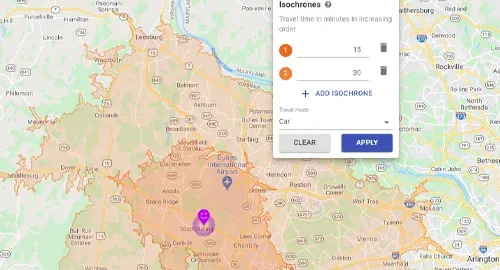 Isochrones View up to 4 lines of equal travel time around a base location, with adjustable travel mode.
 -
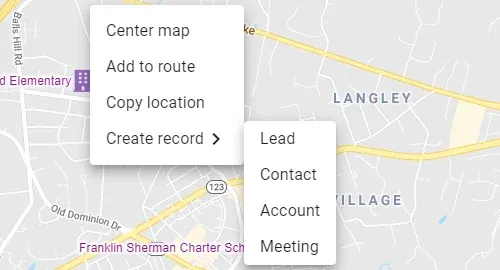 Create Records from Location Right-click on the map to create a CRM record with a pre-filled address and GPS coordinates.
 -
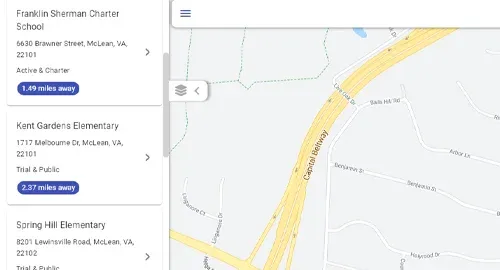 List View Show data in a vertical list synced with filters. Useful for mobile users and embedded maps.
 -
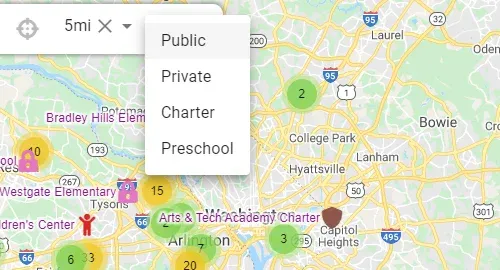 Search Bar Filter Add filters to the search bar. Highly customizable: can include live CRM data and dependent fields.
 -
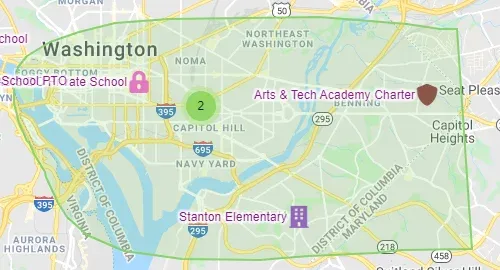 View Records in a Map Shape Use the lasso tool to view records located within a custom map region.
 -
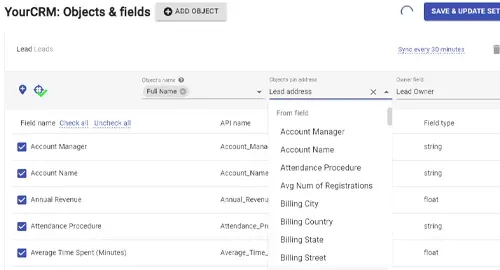 Adjustable Address Mapping Pick fields to serve as the object’s address.
 -
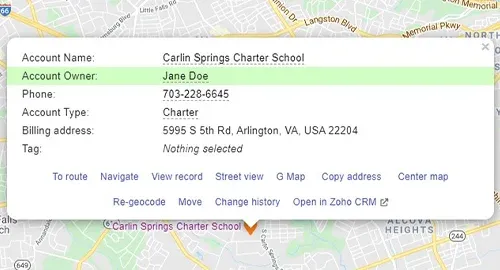 Configurable Record Ownership Re-map the Owner field to customize how Mapsly determines if a user owns records.
 -
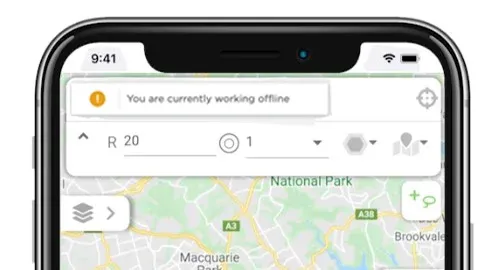 Offline Mode (Mapsly Mobile) View the map, view, create, and update records, and use buttons and forms while offline.
 -
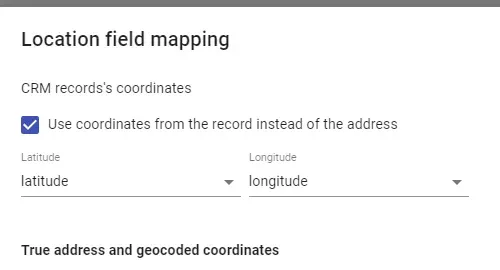 Use Coordinates as Location Use coordinates instead of or in addition to the address as an object’s location.
 -
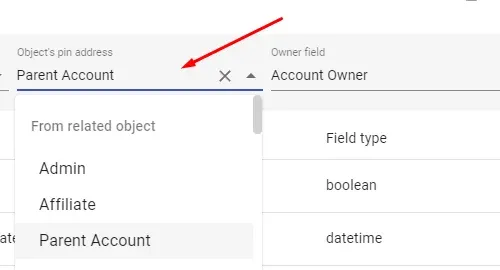 Use Related Object’s Location Use a related object’s location for objects that don’t have their own—for example, the account’s address for deals.
 -
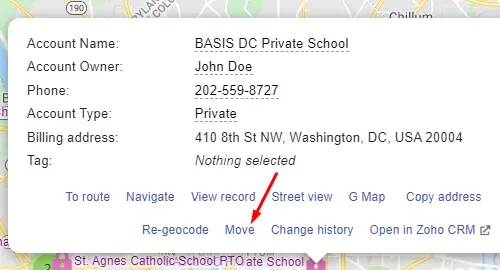 Move Records on Map Change a record’s position on the map—and Mapsly will save the updated location to CRM.
 -
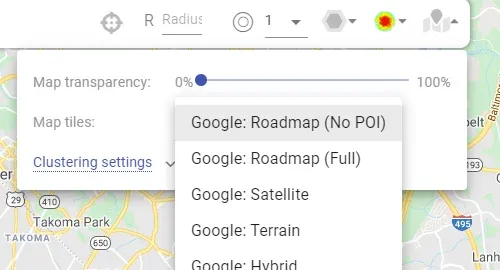 Choose Your Map Tiles Choose your tiles: roadmap with or without points of interest, satellite, dark, or light.
 -
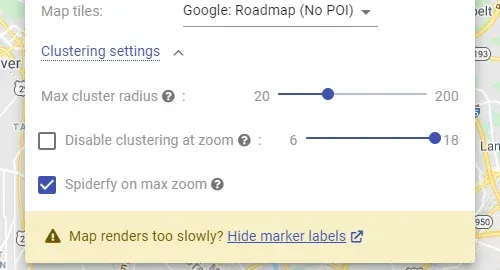 Configure Point Clustering Choose the cluster radius, or deactivate clustering at certain zoom levels.
 -
 Add Non-CRM Users to Mapsly All Mapsly features can also be used by manually added users who are not registered in CRM.
 -
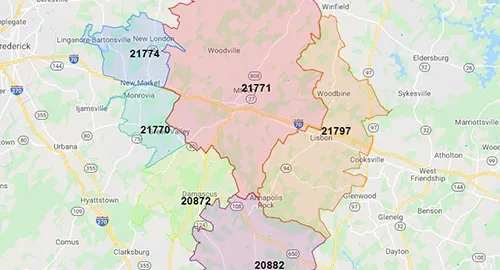 View Demographic Data View 50,000+ demographic metrics (like population and poverty) for zip codes, counties, and census areas.
 -
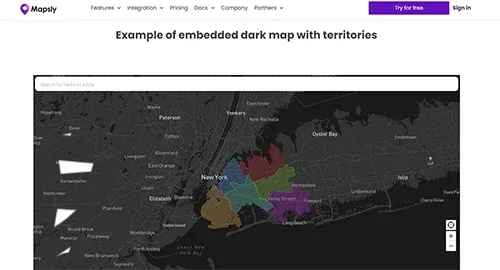 Embed Territory Maps Embed your territory maps shared by link into websites, portals, and dashboards, or send them by email.
 - Mass-Generate Territories Create multiple territories at once by selecting geo-library areas, like zip codes.
-
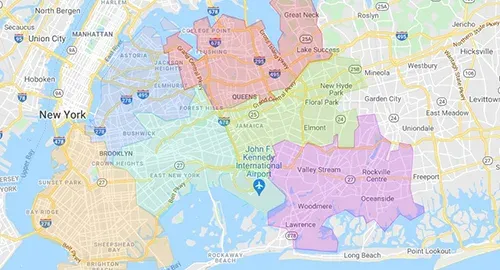 Import KML/KMZ Import KML/KMZ files as one or multiple territories, with or without KML points, lines, popups, and more.
 - Import GeoJSON/Shape Files Import geo-shape files as one or multiple territories, and their properties into territory data fields.
-
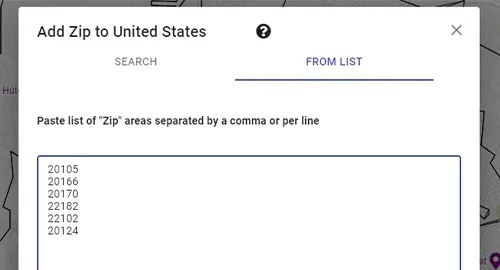 Territory from List of Zip Codes Create territories from a list of zip codes, county names, or names of other geo-library areas.
 -
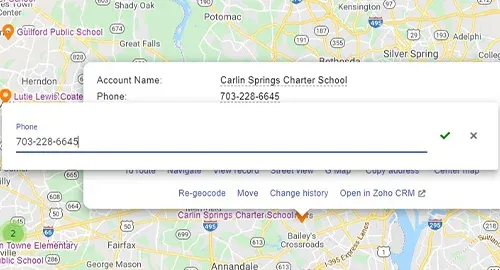 Edit Records (Real-Time Sync) Edit any fields (including custom ones) in any object with real-time sync to your CRM.
 -
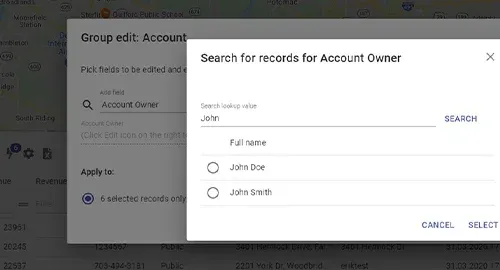 Mass-Update Records Mass-update chosen fields in multiple records at once, with real-time sync to your CRM.
 -
 Real-Time CRM↔Mapsly Sync All Mapsly→CRM updates are real-time. CRM→Mapsly sync is real-time for supported CRMs.
 -
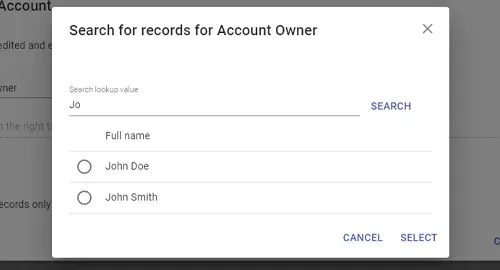 Edit Multi-Select Lookups (Mass-)update multi-choice lookup fields, and Mapsly will auto-create and remove linking records.
 -
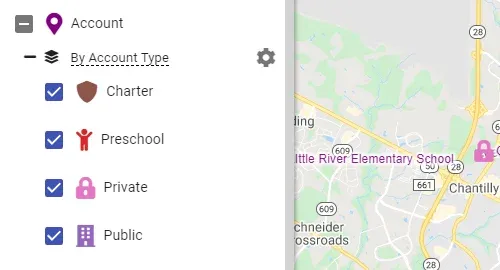 Customize Markers Customize and colorize map markers for whole objects or their individual map layers.
 -
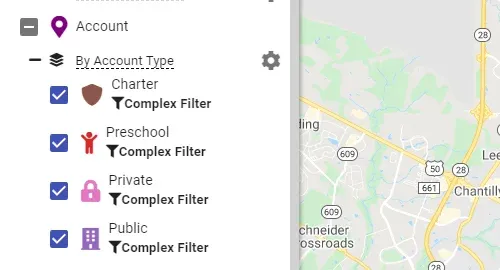 Formula-Based Map Layers Auto-generate or manually define map layers with custom markers. Switch between layer groups.
 - Formula-Based Map Filters Use map filters to hide data that doesn’t meet the filter’s condition, in a whole object or its layer.
-
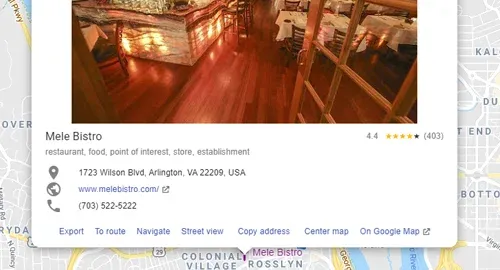 Search/Import Prospects Search businesses on the map by keywords and import them into CRM with adjustable field mapping.
 - Assign/Change Record Owner Assign or change record ownership: manually, when exporting prospects, or in automation.
-
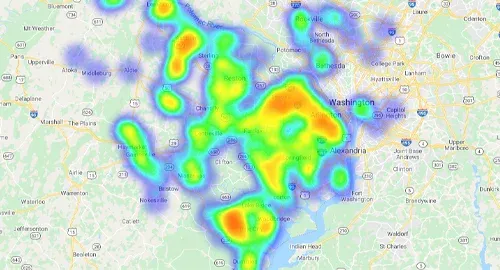 Heatmaps View weighted heatmaps based on an adjustable record set.
 -
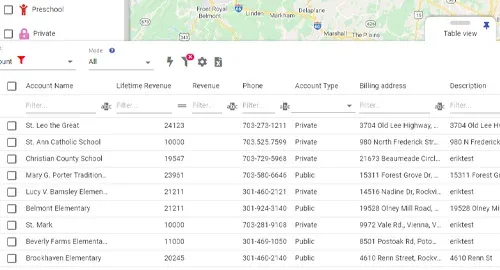 Table View with Data Filter View data in a table with adjustable scope; use its filter to hide records or filter them by distance.
 - Filter by Distance from Point Set a base location and Mapsly will auto-calculate the direct distance to all records. Use it in filters.
-
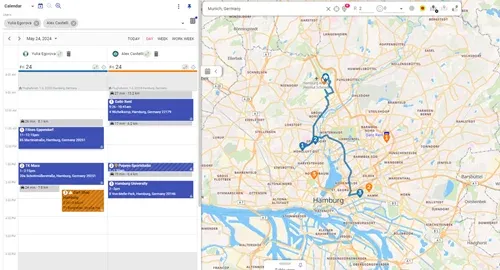 Calendar-Based Routing Add meetings from CRM to your route in 1 click, and view how early or late you are to each one.
 -
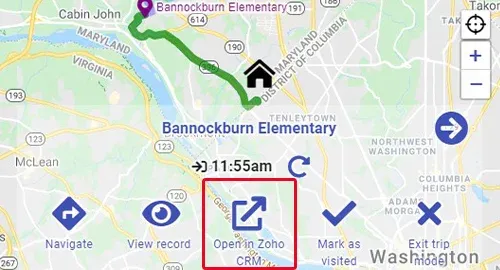 Open Records in CRM Mobile App Open CRM records in your CRM mobile or web app from the Mapsly mobile or web app in 1 click.
 -
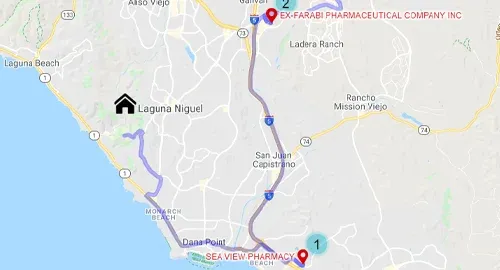 Centralized Team Routing Create, view, and manage routes for your entire team. (Re-)assign routes to users.
 -
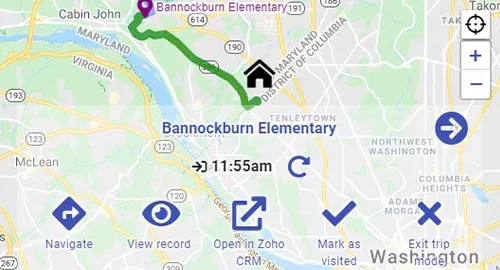 Trip Mode (Mapsly Mobile) Follow routes with the mobile app: focus on your next stop with relevant actions just 1 click away.
 -
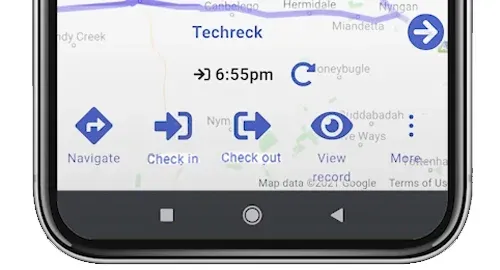 Configurable Check-In & Check-Out Use Mapsly automation to configure custom check-in and check-out processes. Save data to CRM.
 -
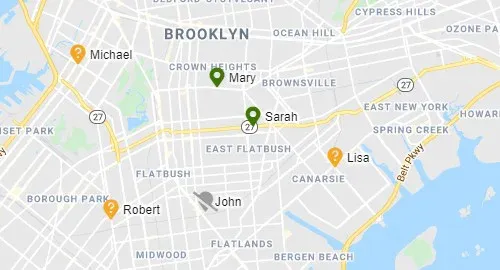 Track/View User’s Location Use the Mapsly mobile app to track your team’s location and view it on the map.
 -
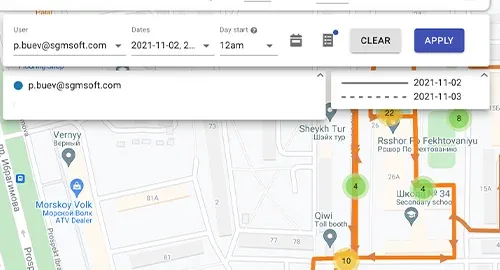 View User’s Movement History View your team’s movement history up to 1 month into the past.
 -
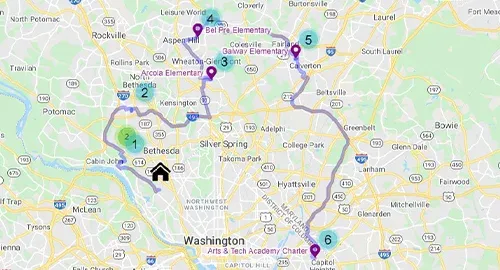 Plan Regular Visits Plan regular visits to locations with the desired regularity, duration, and more. For 1 user or the entire team.
 -
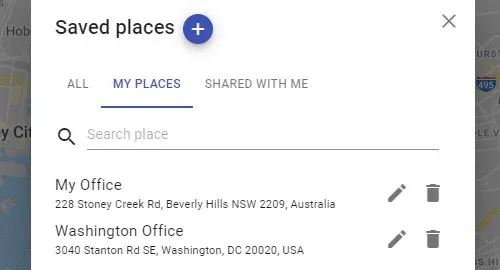 Saved Places Add frequently visited places to your Saved places and add them to your route in 2 clicks.
 - Draw Territories on Map Create territories by drawing one or multiple polygons, circles, or rectangles on the map.
- Auto-Assign Records to Territories Mapsly can auto-assign records of any objects to your territories and save them to CRM.
-
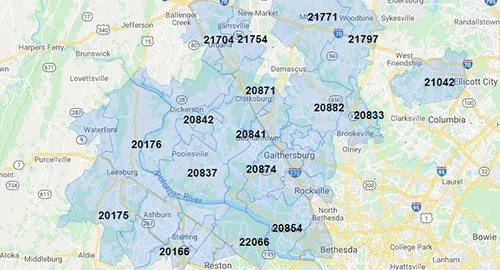 Geo-Library: Zip Codes, Counties, and More Create territories by combining boundaries of pre-loaded areas like zip codes, counties, and more.
 - Aggregate Metrics Colorize territories based on aggregate (roll-up) fields calculated from your record data.
- Share & Embed Live Maps Share your maps by link and embed them into websites, portals, and dashboards, or send them by email.
-
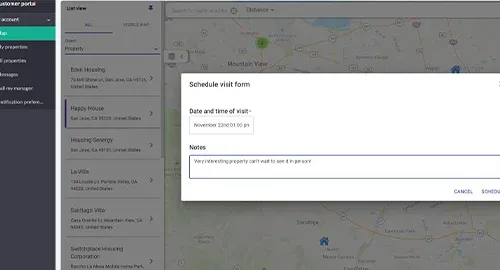 Buttons & Forms on Shared Maps Add buttons and forms to embedded maps to enable user requests or any other custom processes.
 - Automate Processes Without Code Implement custom processes without code: add buttons and workflows, and use a wide range of actions.
-
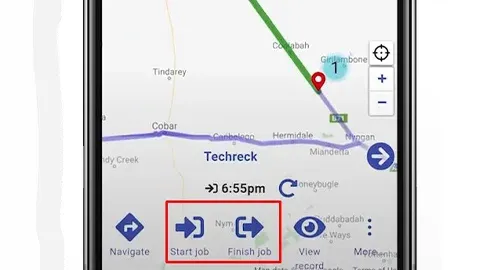 Automation: Buttons Place buttons in various parts of the user interface; use the data of the record for which a button was pressed.
 -
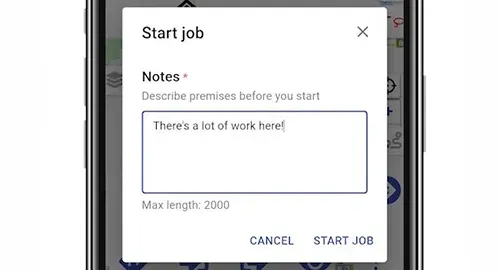 Automation: Forms Use forms to gather data from users and use it in automation, or save it to the CRM.
 -
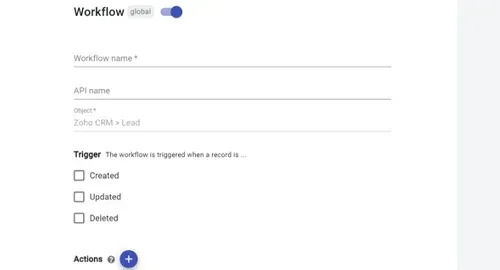 Automation: Workflows Run Mapsly actions automatically when a record is created, changed, or removed.
 - Find Records by Criteria & Distance Automatically find best-matching records by distance and other criteria, and run actions.
-
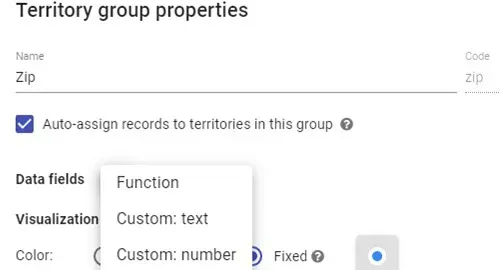 Territory Data Fields Add custom fields to your territories and fill them by formula, import, manually, or in automation.
 -
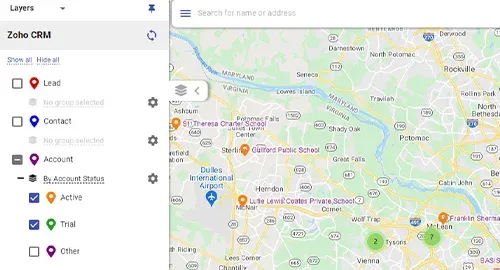 View All Objects and Fields View all CRM objects and their fields, including custom objects and custom fields.
 -
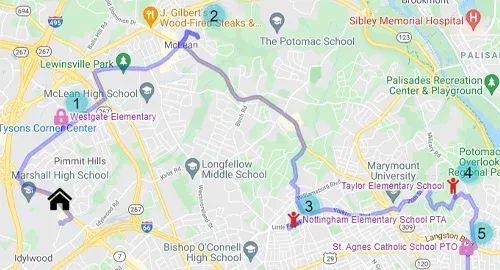 Route Waypoint Auto-Sequencing Mapsly will automatically re-order your waypoints to minimize driving time for the entire route.
 - Control Who Sees What Use user profiles to specify the objects, fields, records, and Mapsly features that users can access.
- Plan Optimal Routes Mapsly will account for live traffic, or historical traffic in case of a custom departure date and time.
-
 Barcode Scanner Scan barcodes using your phone’s camera.
 -
 Mapsly AIPrivate beta Process your CRM and spreadsheet data and images with OpenAI GPT-4o, based on your custom prompt.
 -
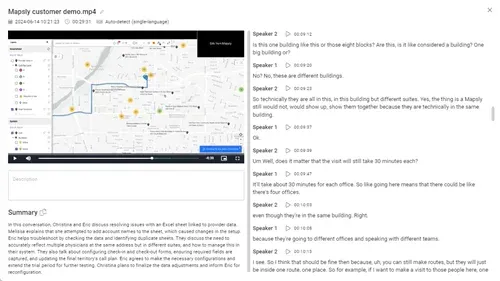 Transcription and AI SummaryPrivate beta Analyze text, images, audio, and video with AI using custom prompts tailored to your business.
 -
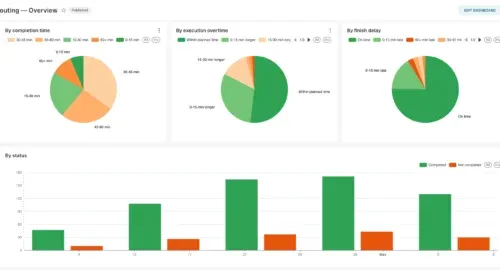 Dashboards Drag-and-drop dashboards.
 -
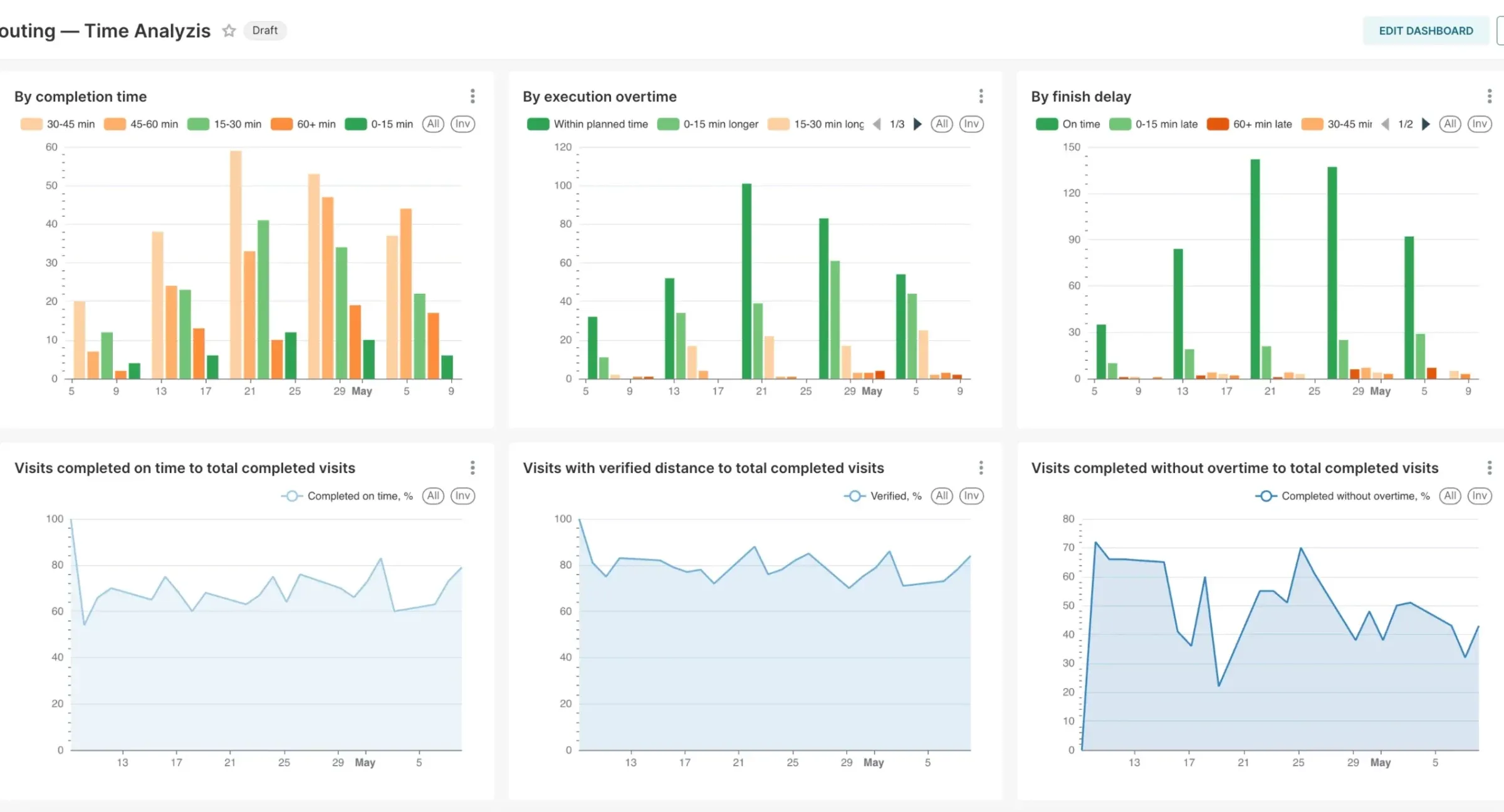 Charts Create powerful charts using your CRM data.
 -
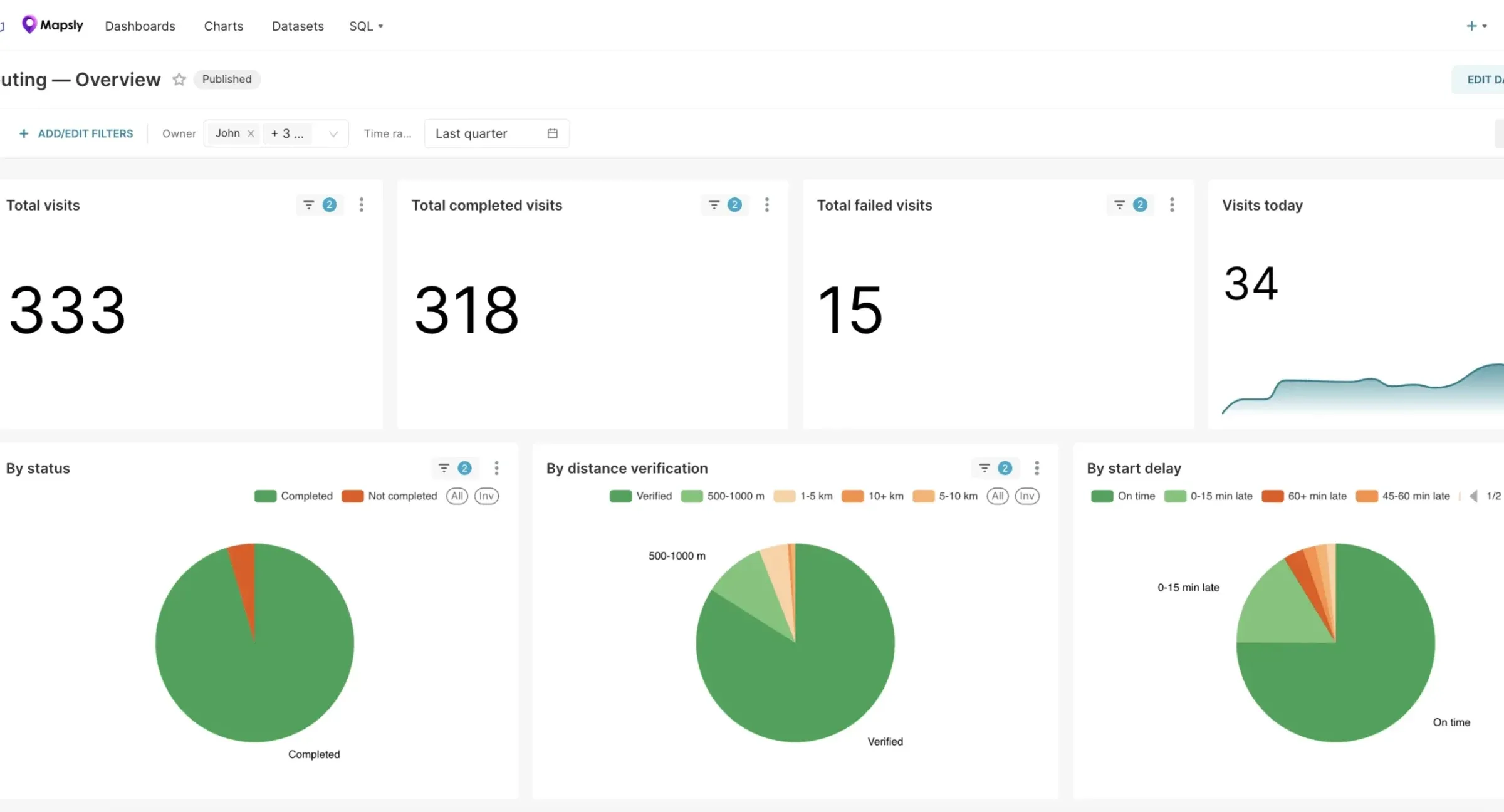 Email Reports Set up scheduled email reports.
No features match that search. Try another word, or ask our team.
Ready to Get Started?
Start a free 14-day trial of the full platform, or let a solution engineer build a proof of concept for your team.
No credit card required · Chat with sales