
 English
 Español
 Deutsch
 Français
 Italiano
 Português
 Русский
 Türkçe
 العربية
 简体中文
简体中文 日本語
日本語 한국어
한국어 Tiếng Việt
 Bahasa
Customer story
How Tekmetric Empowers Its Field Sales Team with Mapsly
See how Tekmetric’s field sales team plans routes, captures visit data, and keeps its CRM current from the road.
Read the storyRouting & field teams
Visit more locations in less time, collect better data during visits, and analyze your team’s field performance. Plan routes for one rep or the whole team, validate visit data in real time, and see where everyone is.
Multi-user, multi-day routing is included in the Pro and Enterprise plans. See pricing
Core capabilities
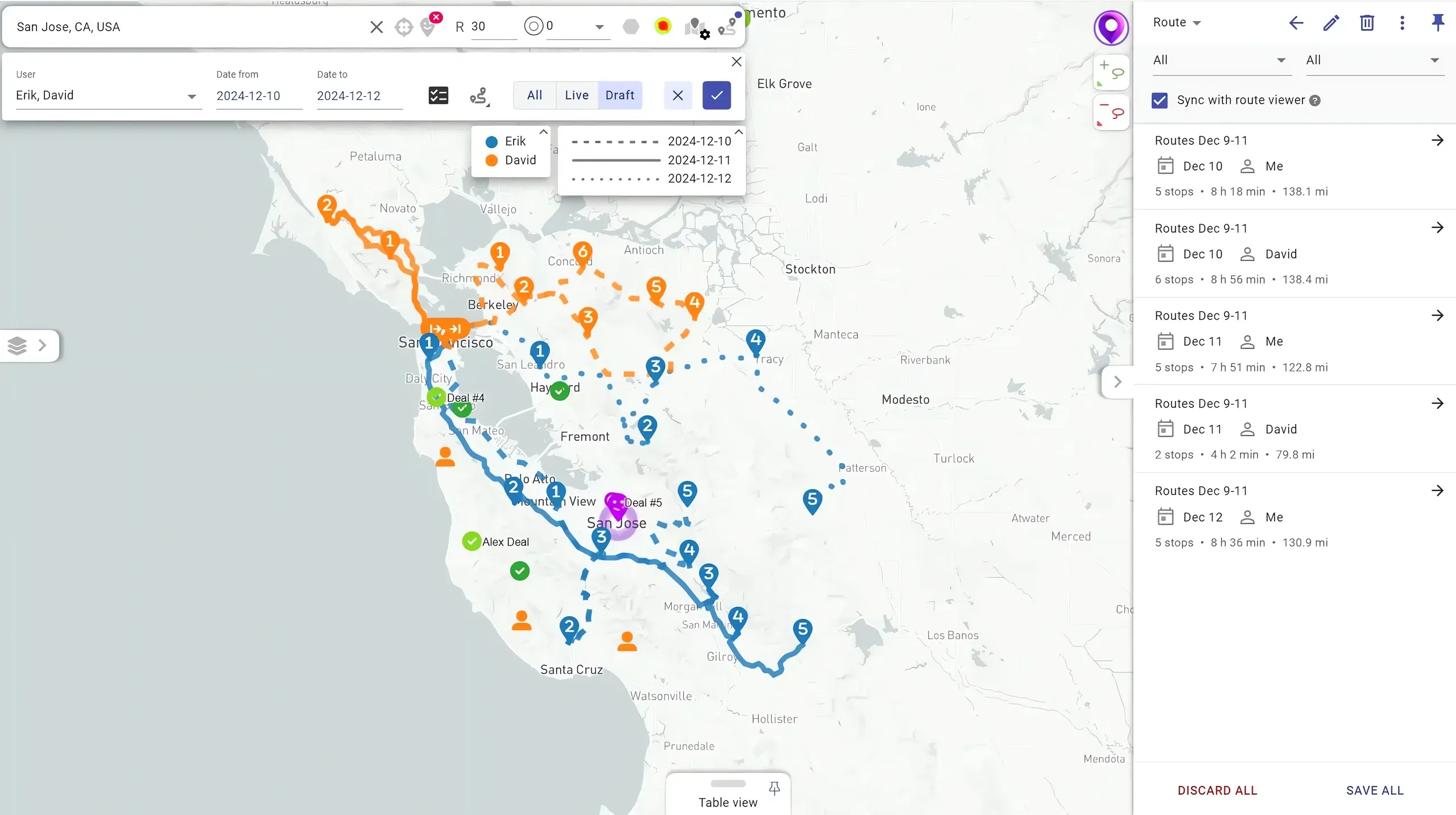
Plan optimal routes on live and historical traffic for days, weeks, and months ahead, through up to 2,000 locations and 30 users at a time. Mapsly accounts for working schedules, open hours, required skills and equipment, and your optimization objectives.
2,000 stops × 30 users in one planning run.
Add more points to the current route with one swipe, and Mapsly reorders the unvisited stops from your current location to keep the route optimized.
Watch the mobile routing demo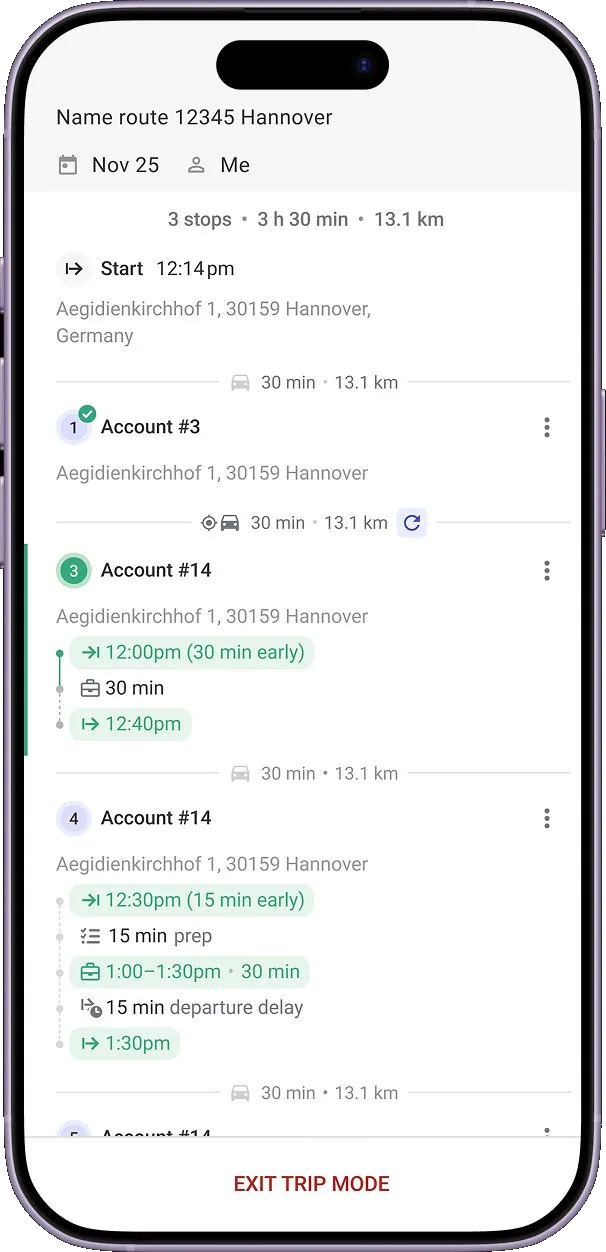
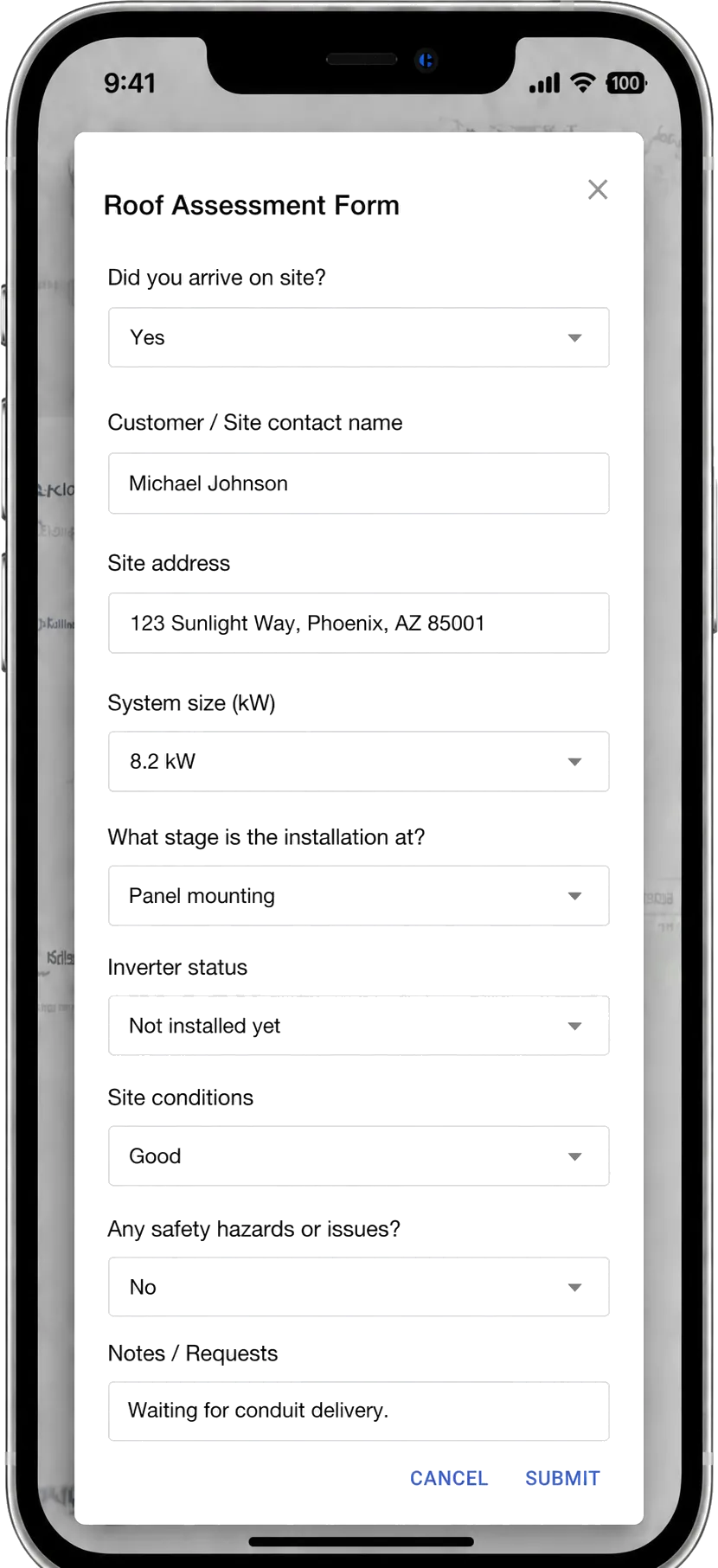
Guide reps through each visit with adaptive forms set up for the visit objective, with instant location and data validation and real-time sync to your CRM or spreadsheet. Forms support photo and video capture, on-screen e-signature, and barcode / QR recognition.
Mapsly avoids scheduling conflicts by reading events from your CRM, Microsoft Outlook, and Google calendars and using their locations to optimize the route. Export new route activities to your calendar and see travel time between meetings.
Travel-aware calendar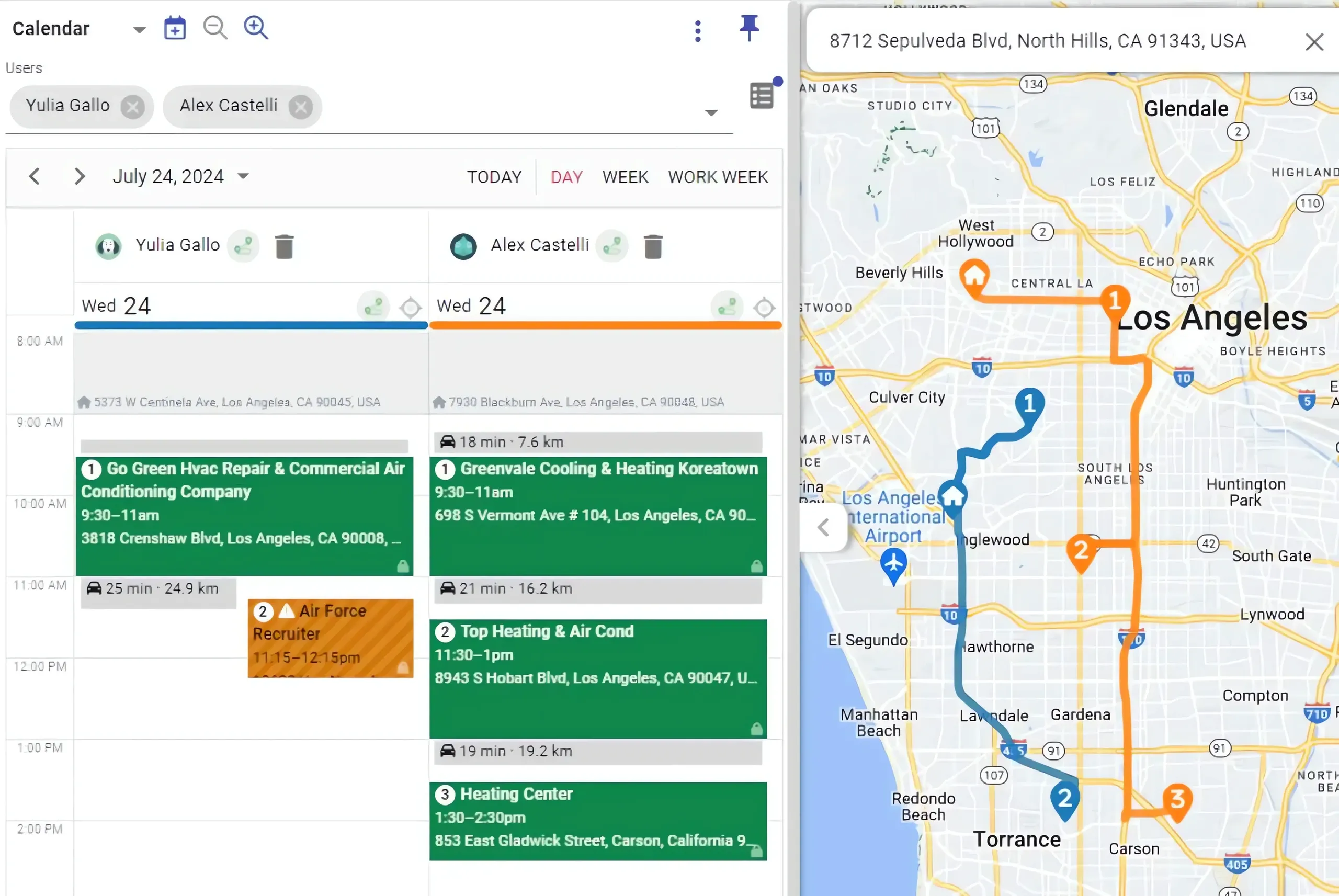
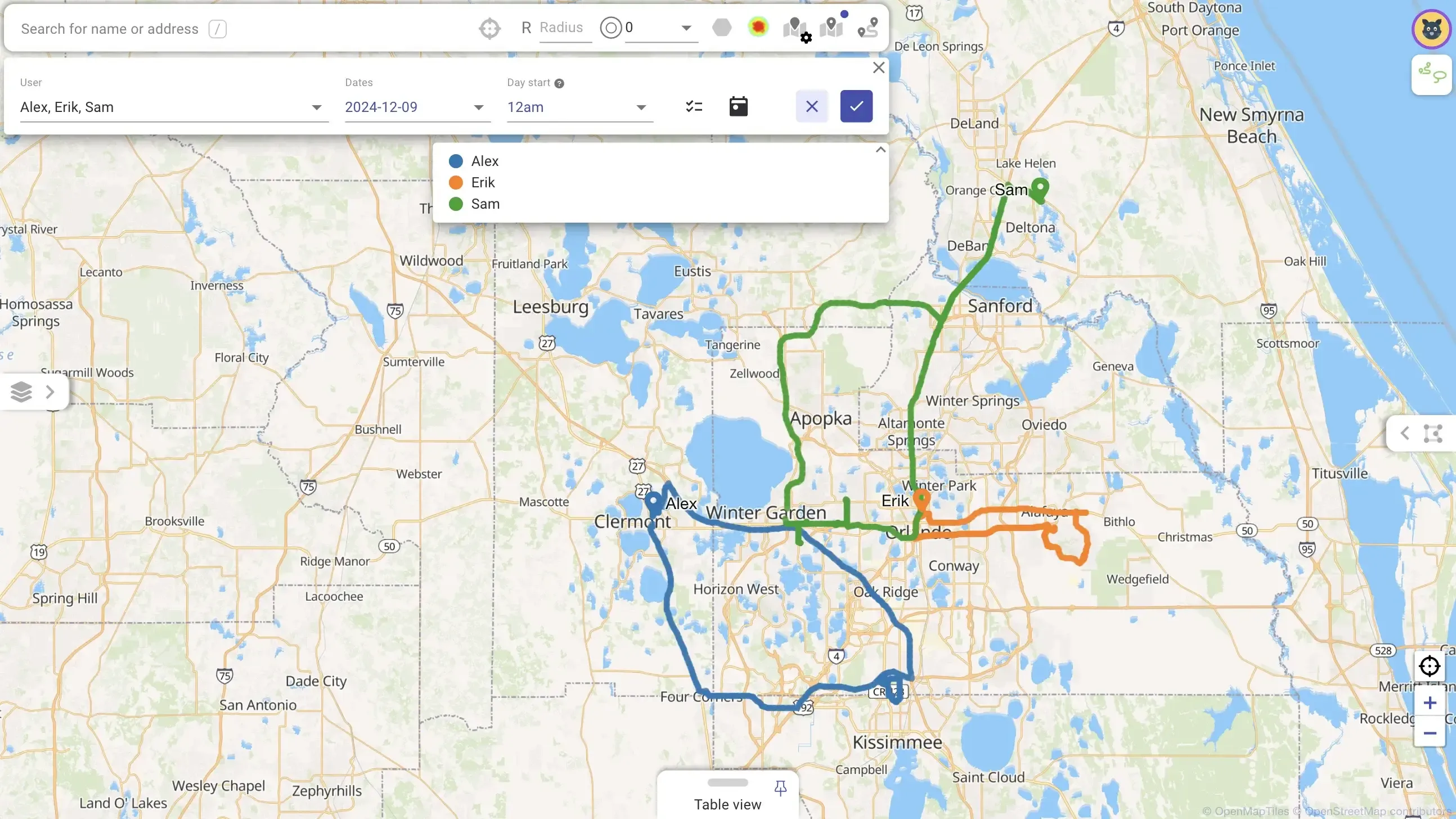
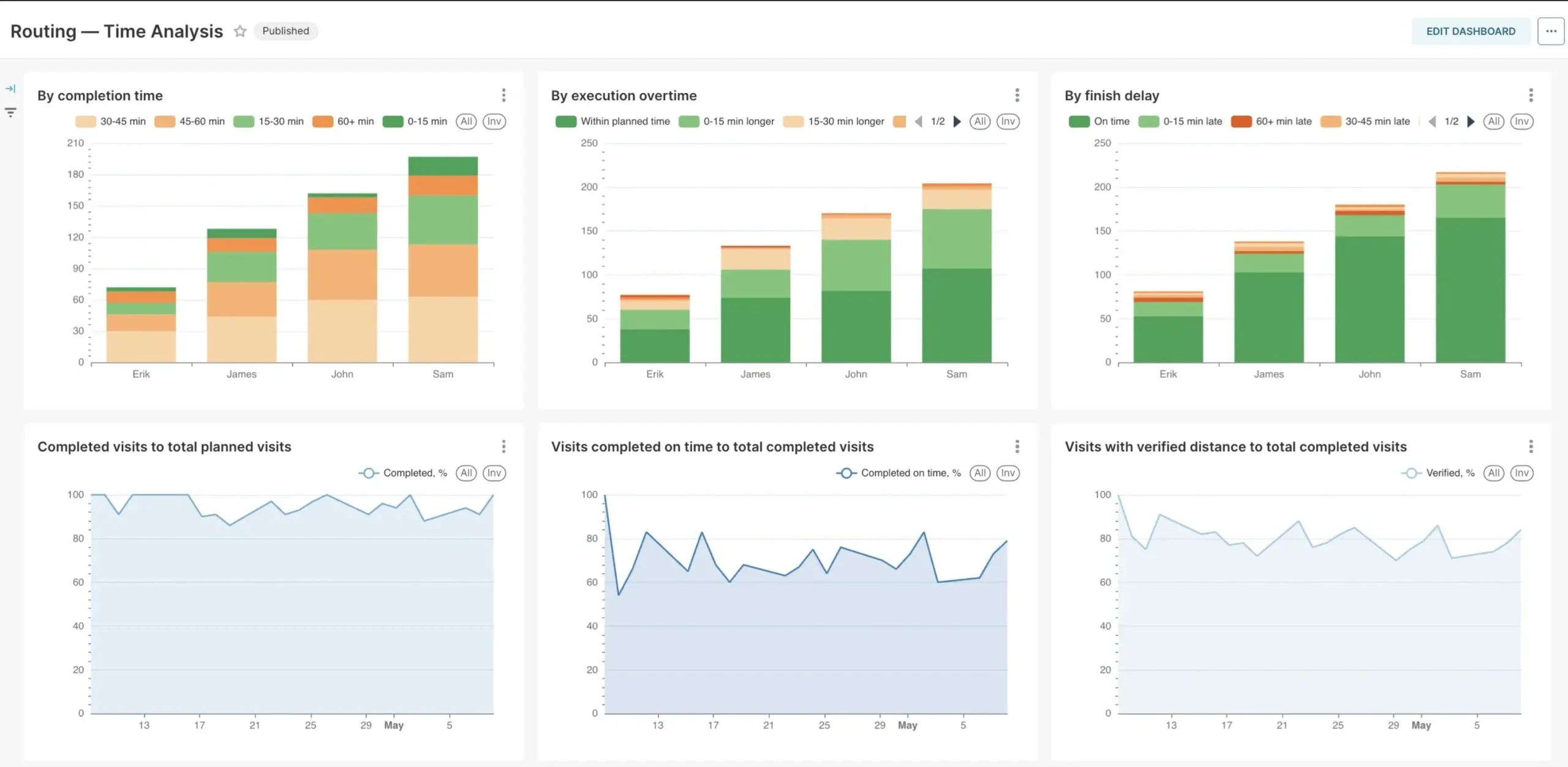
See your field team’s live location and history, daily traveled time and distance, and planned-versus-actual analysis. Field performance dashboards come ready-made in Mapsly Analytics, preloaded with your CRM data and fully adjustable.
Your reps talk to the CRM hands-free, capture visits by voice, get briefs before every meeting, and let the agent re-plan the route when plans change.
Get a demoEverything else
Working schedules with start and finish locations and breaks, customizable for any period. Skills, equipment, min/max jobs, and max driving time per day.
Visit duration, required skills or equipment, open hours, priority, capacity, max time in vehicle, and job type, set right in your CRM.
Minimize travel time, balance visits between users, and more.
Mapsly plans new visits without conflicts with existing CRM, Microsoft Outlook, or Google Calendar meetings, using their locations to cut driving time.
Include calendar events as route jobs to reorder them and, optionally, reassign them to reduce the team’s total driving time.
Create calendar events from one or many routes at a time, with start times rounded (10:23 becomes 10:30).
Plan repeat visits by the visit frequency and priority set for each location in your CRM.
iOS and Android apps for phones and tablets with offline CRM data and maps, photo and video capture, barcode / QR recognition, e-signature, and offline navigation.
Service, pickup, delivery, or pickup plus delivery in one route, matched against your vehicles’ available capacity.
See forecast arrival times and how early or late you will be at each stop based on current traffic.
Re-plan skipped visits manually or fully automatically.
Routes for cars or trucks that avoid roads your truck types can’t use.
Visit Contacts, Accounts, and custom objects in one route, plus custom locations by address or coordinates.
Capacity in several dimensions at once, like weight, volume, and item count.
Plan and re-plan routes automatically on your rules and schedule. Our solution engineers set up your process within hours.
Define job statuses, how they look, and the workflows they trigger.
Add buttons like Check Out and forms for different visit scripts per location type, with your own business logic.
Analyze visit data and any CRM data with the latest AI models using your own prompts.
Every job and user parameter maps to a CRM field and is read at planning time, so you control routing from your CRM.
Route results, including structure and visits, are available programmatically and can be saved to your CRM automatically.
Load today’s routes into reps’ mobile apps before their day starts, on a schedule or by business rules.
Control whether users can edit a route and whether they can only add or also remove stops.
Per job, limit a visit to certain users or exclude certain users, using mapped CRM fields.
Navigate between stops without leaving Mapsly, with your custom buttons on the navigation screen.
Text or email recipients a link to a live map with the courier’s location, ETA, order details, and custom buttons.
Chat in the context of clients, orders, or custom objects, with your team and with external customers.
Long-haul routing
Plan nights at a job’s location or along the route between jobs.
Plan breaks within set open hours or by maximum continuous driving time.
Extend a shift to finish a job the same day when it only slightly exceeds normal hours.
Split long jobs across several days without leaving parts that are too small.
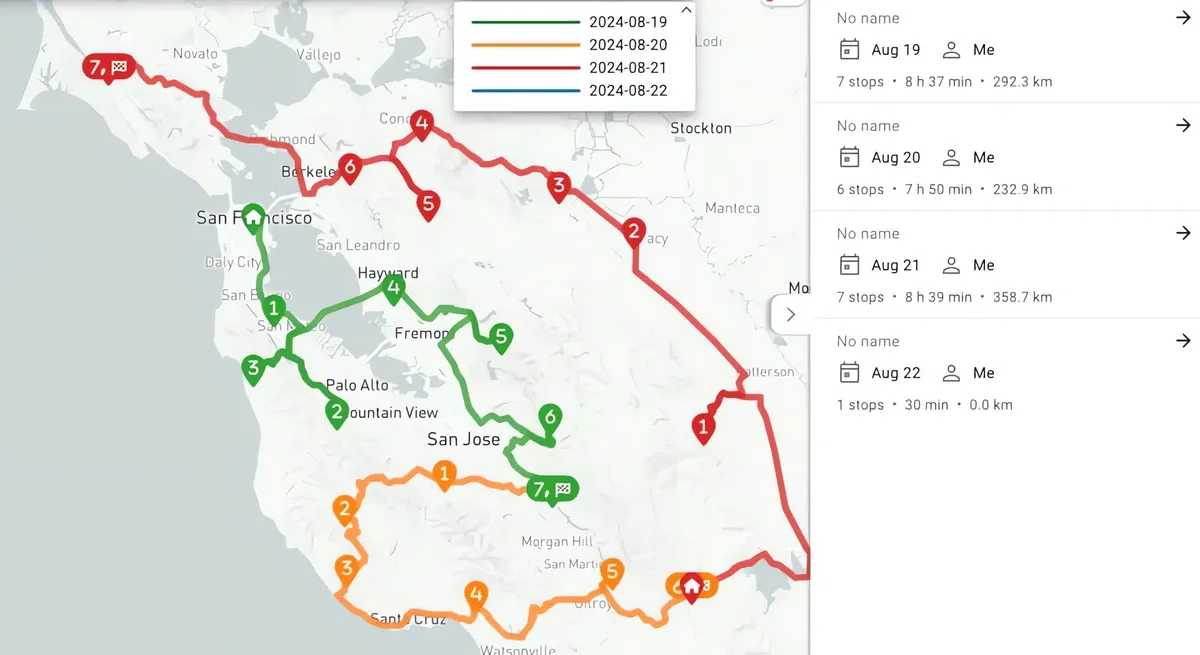
Plan repeat visits to points of sale, clients, or vendors at the frequency set per location in a CRM field, while minimizing total driving time. When locations change, re-plan in one step: Mapsly uses check-in history to know when each location was last visited, and can run the whole process on a schedule.
Customer story
See how Tekmetric’s field sales team plans routes, captures visit data, and keeps its CRM current from the road.
Read the storyStrategies from high-performing field teams to save hours, capture perfect data, and deliver more visits every day.
Start a free 14-day trial of the full platform, or let a solution engineer build a proof of concept for your team.
No credit card required · Chat with sales