
 English
 Español
 Deutsch
 Français
 Italiano
 Português
 Русский
 Türkçe
 العربية
 简体中文
简体中文 日本語
日本語 한국어
한국어 Tiếng Việt
 Bahasa
Field Team Productivity
Team Location Tracking
Boost your team’s productivity and transparency by leveraging their real-time location data
See Your Team's Real-Time Location
Watch your team’s current location and real-time movements on the map.
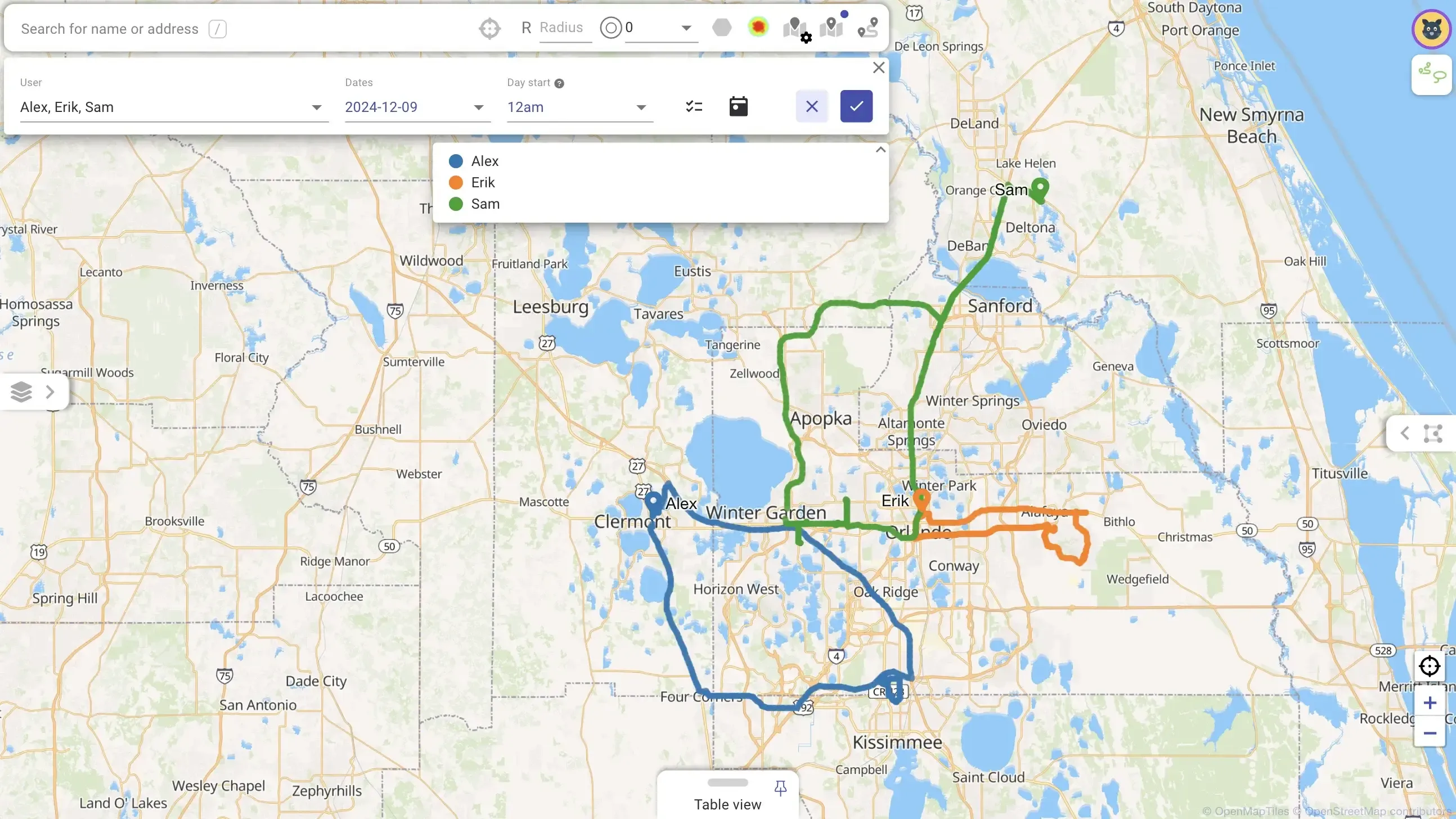
Analyze Your Users' Travel History
View detailed history of your team’s travel and daily summary reports with the time and distance traveled.
Auto-Check In/Out Based on Proximity
Check your team members in to locations upon arrival and check out upon departure entirely automatically — gather crucial performance data without the need to press any buttons.
Reroute Agents Based on Their Location
Modify your traveling agent’s route in progress — and Mapsly will reshuffle their unvisited locations based on the user’s current location to keep their route optimized.
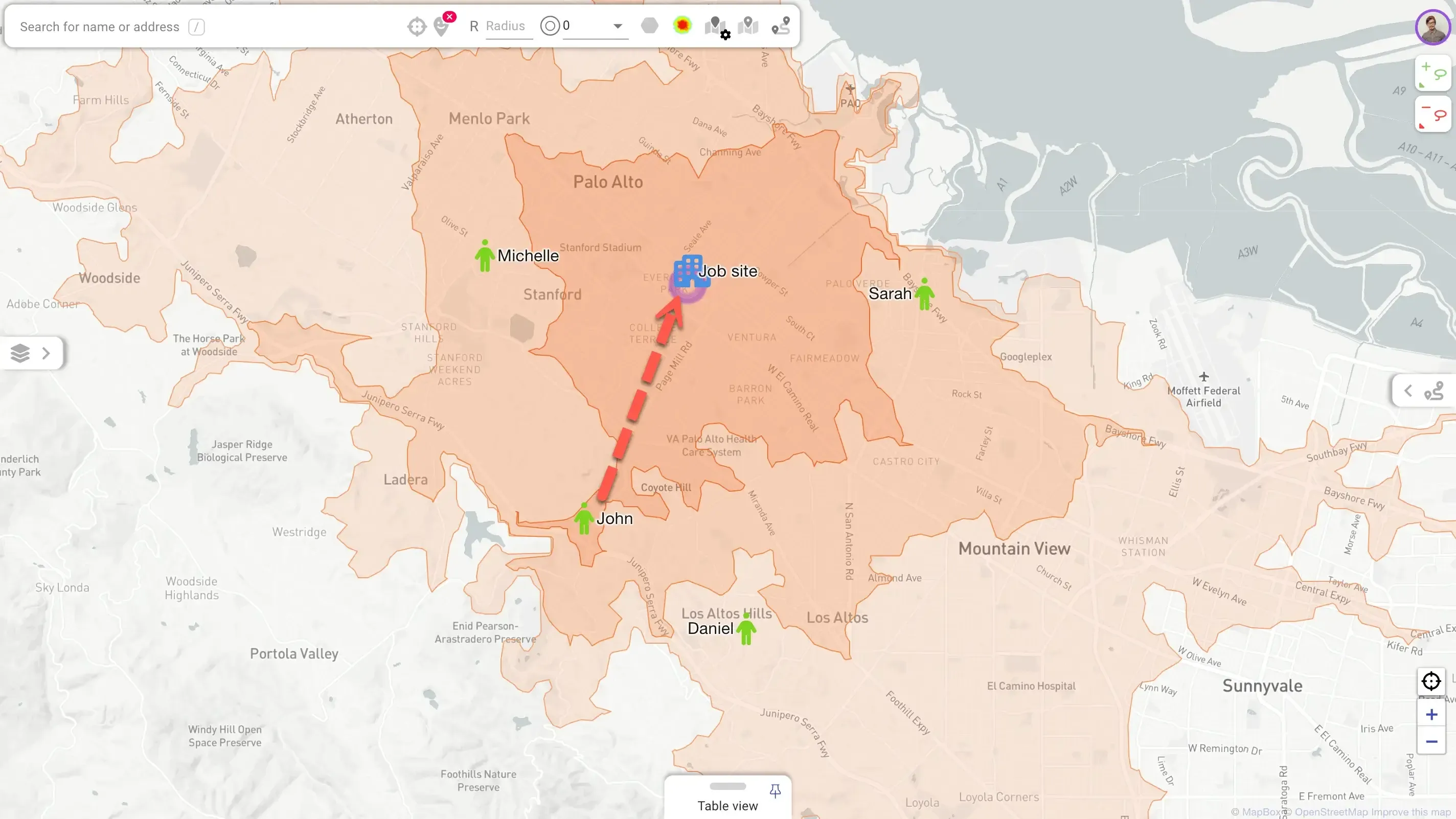
Find Nearest Agents
Automatically assign team members to new jobs based on their driving time to the job’s locations. Match by other parameters as well, if necessary.
Implement Custom Processes That Involve Agents' Locations
Use Mapsly’s automation platform to design more complex processes that use your team’s location. For example, when your dispatcher adds a new job, Mapsly can text nearby technicians information about the new job with a link to accept it, and whoever accepts it first will be assigned to the job while the other technicians will receive a text that the job is no longer available.
Activated Manually, or Automatically by Schedule
In the Mapsly mobile app, the user can activate and deactivate location tracking at any time, and set up a schedule when location tracking will automatically activate or deactivate.
Activation or deactivation of location tracking by schedule doesn’t require the user to open or use the app.
Reliable Location Tracking, Even Offline
When location tracking is active, the location data is recorded, even when the user doesn’t open or use the Mapsly app, or even if they accidentally terminate the app or reboot their mobile device without opening the app.
When there’s no active Internet connection, location data is accumulated and then transmitted to the server when the connection becomes available.
Go Deeper
- Overview of routing, user tracking and field efficiency features
- Optimized routing with waypoint sequencing and centralized route management
- Configurable check-in and check-out with location verification
- Plan optimal routes for multiple days and multiple users at once based on various job and vehicle constraints
- Plan regular visits, for individual users or your entire team
Ready to Get Started?
Start a free 14-day trial of the full platform, or let a solution engineer build a proof of concept for your team.
No credit card required · Chat with sales