
 English
 Español
 Deutsch
 Français
 Italiano
 Português
 Русский
 Türkçe
 العربية
 简体中文
简体中文 日本語
日本語 한국어
한국어 Tiếng Việt
 Bahasa
Advanced Features
Add a Live Map to Your Smartsheet Dashboard
Embed a live interactive map with Smartsheet data into your Smartsheet dashboard.
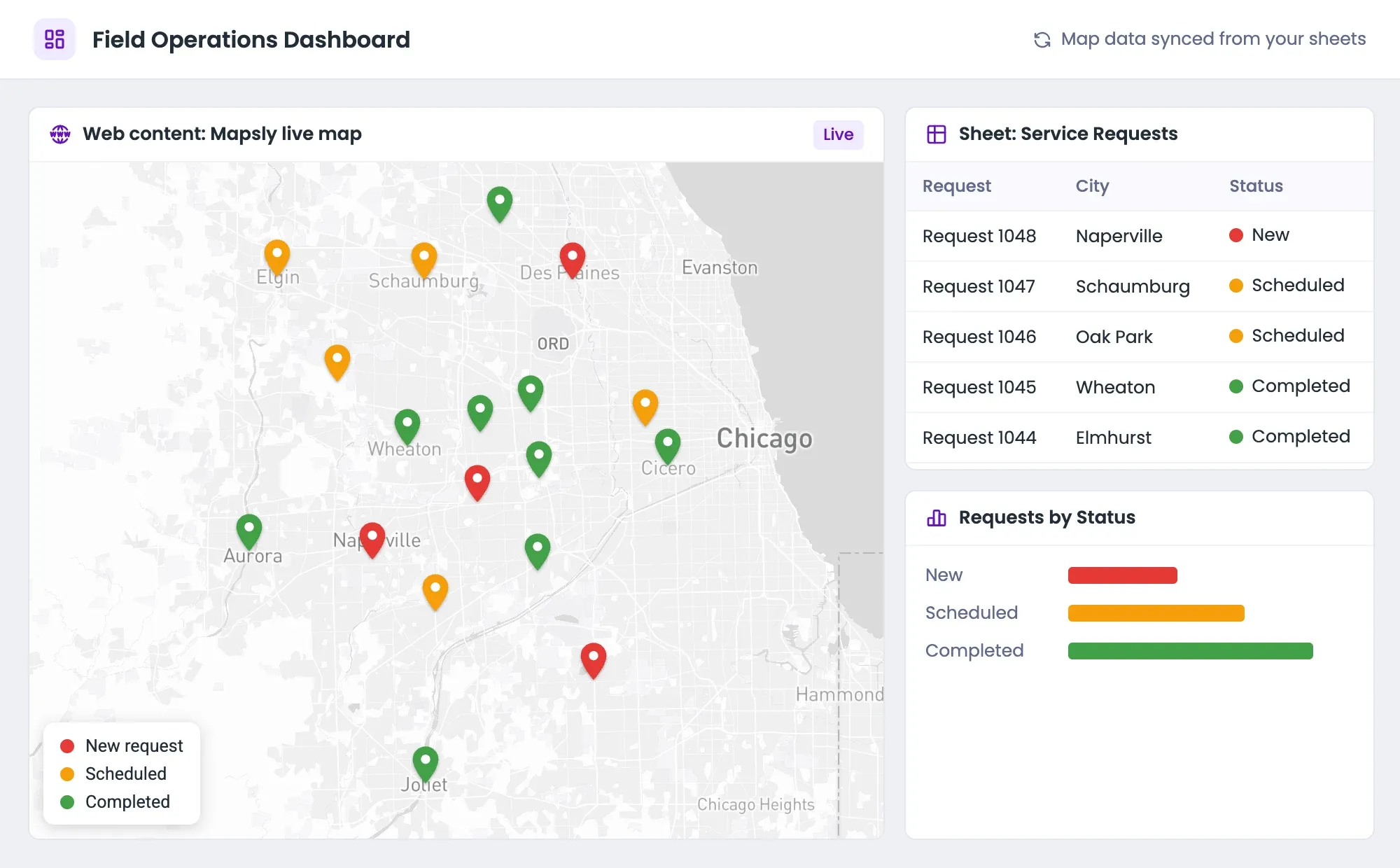
Add live interactive maps to your Smartsheet dashboard. The map can show data from one or multiple sheets of your Smartsheet, CRM, or any other data source, as well as territories. You can also add buttons, forms, and custom actions—to let users file requests and applications, create and update records, and execute other actions right on the embedded map.
How to Embed Mapsly into a Smartsheet Dashboard
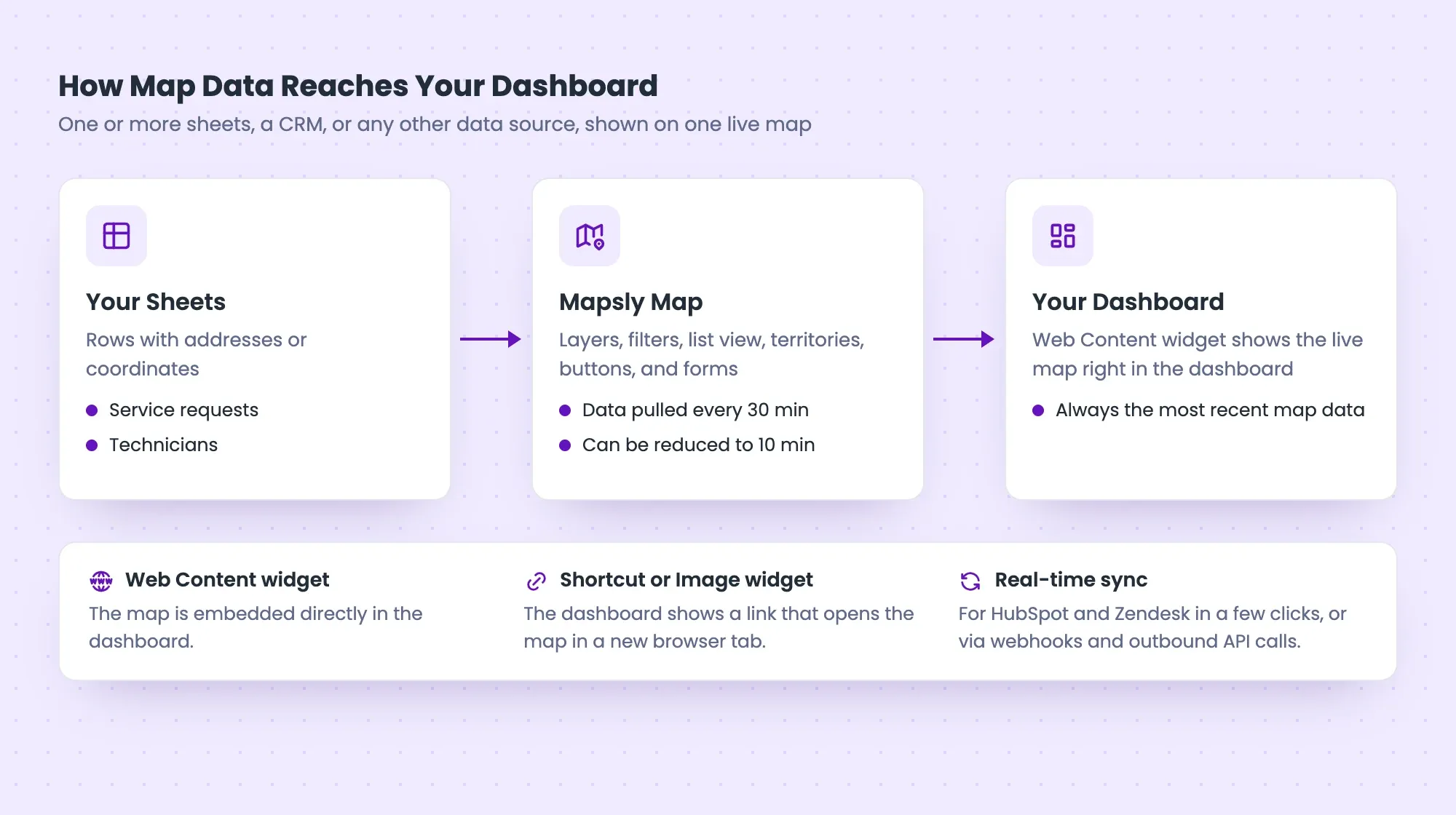
The most common way to add Mapsly to your Smartsheet dashboard is using the Smartsheet Web Content widget—this way, the map will be embedded directly into your dashboard, and your dashboard will automatically update to show the most recent map data. It is also possible to add Mapsly using a Shortcut or Image widget—in this case, your dashboard will only contain a link that opens the Mapsly map in a new browser tab.
Step-by-step guide to adding a live map to your Smartsheet dashboard
Frequency of Data Updates on Embedded Maps
By default, Mapsly pulls new and updated data from a data source, like your connected Smartsheet, once every 30 minutes. This delay can be reduced to 10 minutes.
Also:
- With some data sources, like HubSpot and Zendesk, real-time CRM→Mapsly data sync can be activated in a few clicks;
- For other data sources, you can set up real-time CRM→Mapsly data sync using webhooks or outbound API calls from your data source, like Zoho CRM, Creatio, Quickbase, and any other data source that supports either of these capabilities.
Embedded Maps Are Flexible & Easily Configurable
On your live map, you can dynamically colorize your data based on custom criteria using map layers and filters, control what users see with URL parameters, and show data from one or multiple objects (sheets) at once. For each object, you can adjust its marker properties and the fields (sheet columns) that will be shown as the marker label, in the map popup, or in the record view popup that you can also enable.
Add a Search Filter and List View
Optionally, you may use a configurable List view in combination with the search bar filter to show a collapsible list of records (sheet rows) on the left of the map and/or give users an opportunity to adjust the data set shown on the map and search for particular records.
Add Territories
You can show territories, both hand-drawn and created using the geo-library (for example, from ZIP code areas or counties), and their data fields, including demographics and aggregate metrics automatically calculated based on data from records residing in those territories.
Add the Layers Panel & Table View
It is also possible to enable the Layers panel and the Table view on shared maps. Contact us to have these two features enabled for shared maps on your account.
Add Buttons, Forms & Automation
You can make your embedded maps more interactive by placing custom buttons and forms in a record’s map popup or record view popup—to allow users to submit data and requests, trigger workflows, and run any other custom processes.
Smartsheet Dashboard Demo
Open the demo Smartsheet dashboard with an embedded Mapsly live map.
Mapsly’s implementation team will study your use scenario and configure shared maps for you, so you can focus on your business. Schedule a web call.
Ready to Get Started?
Start a free 14-day trial of the full platform, or let a solution engineer build a proof of concept for your team.
No credit card required · Chat with sales